Complete Guide 2026
UI/UX
Design Roadmap
Design Roadmap
Panduan lengkap membangun produk digital yang berpusat pada pengguna — dari memahami masalah hingga meluncurkan solusi yang tepat.
Apa Itu UI/UX Roadmap? 🗺️
Sebelum masuk ke detail, mari pahami dulu apa yang akan kita pelajari.
🧭
Roadmap = Peta Perjalanan
UI/UX Roadmap adalah kerangka langkah-langkah yang membimbing kamu dari memahami masalah pengguna hingga meluncurkan solusi desain yang tervalidasi.
🎯
Tujuan Article Ini
Kamu akan memahami proses end-to-end desain produk digital — supaya tahu apa yang harus dilakukan di setiap tahap dan kenapa urutannya penting.
Tanpa roadmap, proses desain sering lompat-lompat dan menghasilkan rework yang mahal.
Kenapa Roadmap UI/UX Penting? 💡
Data membuktikan: proses UX yang terstruktur berdampak langsung pada bisnis dan pengguna.
💰
$100 ROI
Return for every $1 invested in UX — Forrester Research
🚫
88% Leave
Users will not return after a bad experience
⚠️
50% Rework
Of dev time is spent on avoidable rework — IEEE
Good design is not a luxury — it is a competitive advantage with measurable ROI.
UX vs UI — Apa Bedanya? 🎯
Sebelum memulai perjalanan roadmap, penting untuk memahami perbedaan UX dan UI.
🧠
UX — User Experience
How it works · How it feels · The whole journey
Research → Structure → Flows → Testing
🎨
UI — User Interface
How it looks · Visual design · Pixels on screen
Colors → Typography → Icons → Animation
UX is the experience of using a ketchup bottle. UI is the label, color, and shape.
Gambaran Besar: 6 Phase Roadmap 📍
Roadmap ini terdiri dari 6 phase yang saling terhubung. Berikut preview singkatnya — kita akan dalami satu per satu setelah ini.
🏗️
Phase 1 — Foundation
Definisikan masalah & selaraskan visi
🔬
Phase 2 — Research
Pahami pengguna & perilaku mereka
🎨
Phase 3 — Design
Bangun struktur & sistem visual
🧪
Phase 4 — Validation
Uji desain dengan pengguna nyata
🤝
Phase 5 — Handoff
Serahkan desain ke developer
📈
Phase 6 — Optimize
Ukur, iterasi & improve terus-menerus
Setiap phase membangun fondasi untuk phase berikutnya. Mari kita dalami satu per satu, dimulai dari Phase 1.
Section 1 of 6
Foundation & Problem Framing
Define the problem space and align product vision before designing anything.
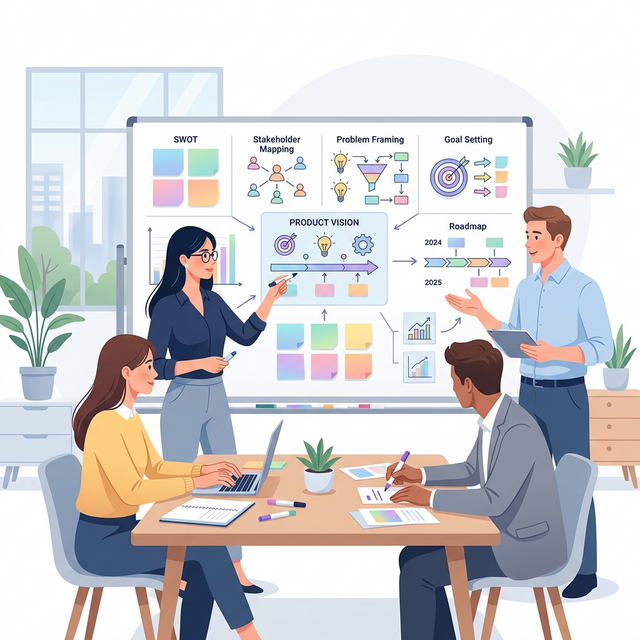
Strategy & Problem Framing 🏗️
🤝
Stakeholder Alignment
Get everyone on the same page about goals and constraints
❓
Problem Framing
Use How Might We for actionable problem statements
📊
Business Goals
Connect design decisions to measurable outcomes
Phase 1 — Common Mistakes ⚠️
❌
Jumping straight into design without defining the problem
❌
Skipping stakeholder alignment → surprise rework later
❌
Vague problem statements like "improve the UX"
✅
Invest 10% here → save 40% in rework downstream
Section 2 of 6
UX Research & Analysis
Understand users, behaviors, and real problems before designing.
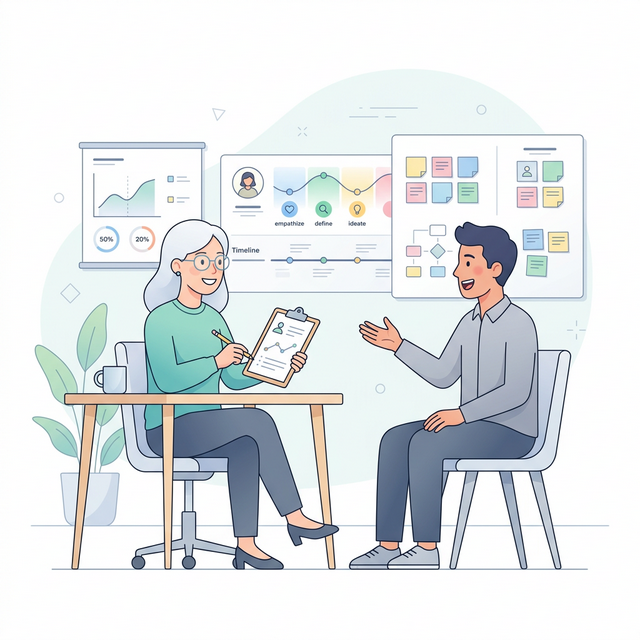
Research Methods 🔬
🗣️
User Interviews
30-60 min, 5-8 participants per segment
🔍
Competitive Analysis
3-5 competitors, Nielsen’s 10 heuristics
💡
Design Thinking
Empathize → Define → Ideate → Prototype → Test
Phase 2 — Common Mistakes ⚠️
❌
Designing based on assumptions, not research data
❌
Leading questions that bias participants
❌
One-time research — user needs evolve continuously
✅
Airbnb found 40% drop-off at payment through research
Section 3 of 6
Product Structure & Design
Shape the product structure, define information architecture, and build the visual system.
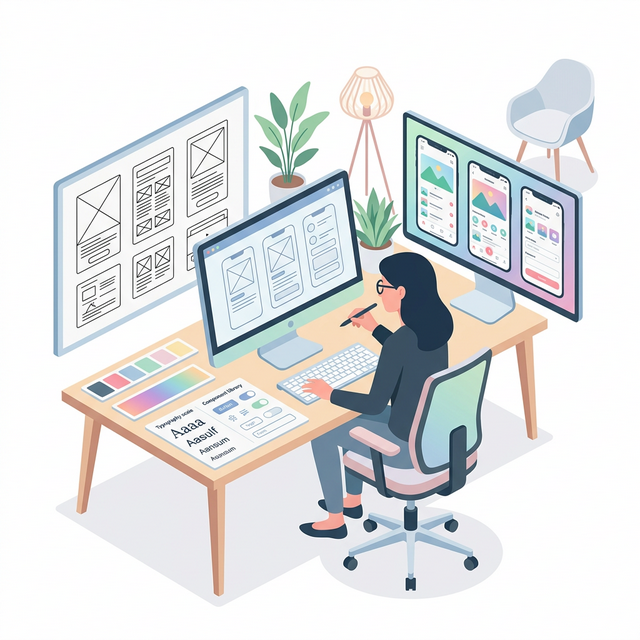
UX + UI Design 🎨
🗺️
Information Architecture
Card sorting, tree testing — organize content logically
🔄
Sitemap & User Flows
Pages, happy paths, error paths — map the full journey
📋
Task Flows
Step-by-step flows → clear acceptance criteria
🧩
Components
Atoms, molecules, organisms with all states defined
UI Design System 📐
📏
Grid System
4px/8px baseline, 12-col desktop, 4-col mobile
🔤
Typography
Type scale: body → caption → title → hero
🎨
Colors
WCAG AA contrast 4.5:1 for text accessibility
📦
Deliverables
Wireframes → Hi-fi mockups → Interactive prototypes
Accessibility Quick Guide ♿
1 billion people have a disability — a11y is not optional.
🎨
Contrast
Text 4.5:1, large text 3:1, UI elements 3:1
⌨️
Keyboard
All interactions: Tab, Enter, Esc
🔊
Screen Readers
Alt text, ARIA labels, semantic HTML
🎯
Focus
Visible focus ring on all focusable elements
Design System Maturity 📈
Progress from chaos to a fully governed system.
❌
No System
Ad-hoc styles
→
📄
Style Guide
Documented standards
→
📦
Components
Reusable library
→
✅
Full System
Tokens + code + docs
Start where you are. Even a basic style guide beats nothing.
Phase 3 — Common Mistakes ⚠️
❌
Jumping to hi-fi before validating structure
❌
Designing without developer feasibility input
❌
Components without states (hover, error, loading)
✅
Google Material Design reduced inconsistencies 60%
Section 4 of 6
Validation & Testing
Test with real users before investing in development.
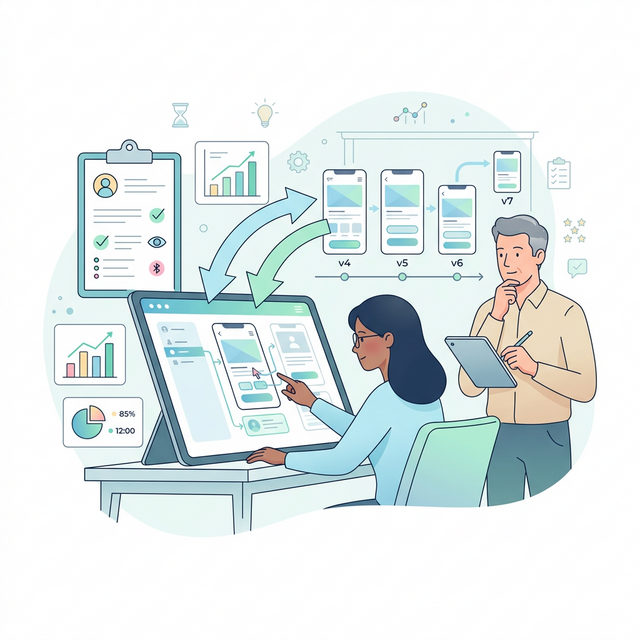
Test → Learn → Iterate 🧪
🧪
Usability Testing
Realistic tasks, observe without guiding users
💬
Think-Aloud
Users narrate their thought process in real-time
📊
Severity Scoring
Critical → Major → Minor — fix top issues first
5 users uncover 85% of usability issues — NNGroup
Phase 4 — Common Mistakes ⚠️
❌
Testing with colleagues instead of real users
❌
Asking "Do you like it?" vs. observing actual behavior
❌
Only one round — plan for 2-3 iterations minimum
✅
Slack tested with 8 companies before launch
Section 5 of 6
Handoff & Dev Support
Ensure design is implemented correctly through specs and collaboration.
Design → Development Bridge 🤝
📐
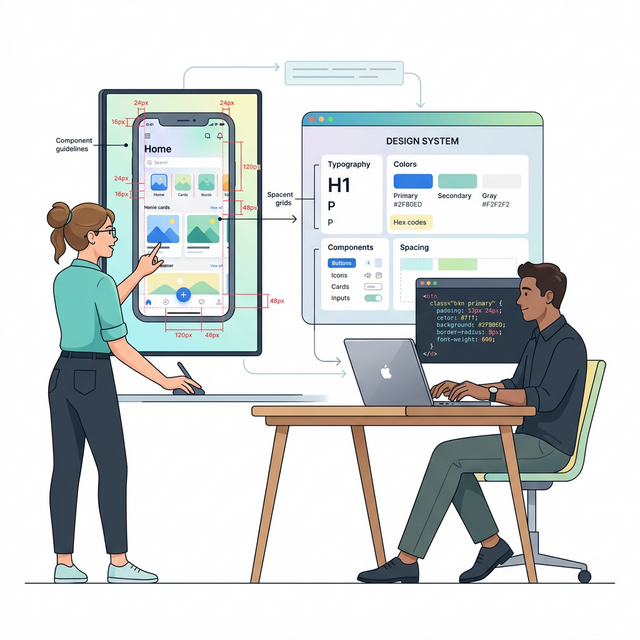
Design Specs
Dimensions, spacing, colors, typography, all states documented
🔗
Developer Handoff
Figma Inspect, breakpoints (375/768/1440px)
🔍
UI QA
Side-by-side with Figma, pixel-by-pixel review
Phase 5 — Common Mistakes ⚠️
❌
Handing off a Figma link without walkthrough
❌
Not defining responsive behavior — devs guess differently
❌
Skipping UI QA — small bugs erode product trust
✅
Spotify Encore design system keeps 400+ engineers aligned
Section 6 of 6
Launch & Optimization
Measure performance and continuously improve post-launch.
Continuous Improvement 📈
📊
NPS Score
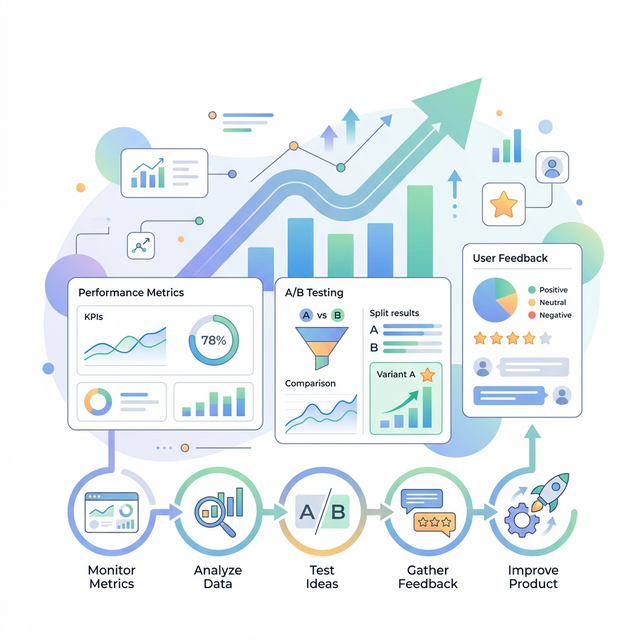
Would users recommend? Target: > 50
🧪
A/B Testing
One variable at a time, 1-2 weeks minimum
💬
Feedback Loops
In-app surveys, support trends, feature requests
Phase 6 — Common Mistakes ⚠️
❌
Launching and forgetting — no metrics, no feedback
❌
A/B tests without enough traffic for significance
❌
Ignoring support tickets — free usability research
✅
Netflix runs thousands of A/B tests yearly
Metrics Cheat Sheet 📊
📊
NPS
Net Promoter Score • Good: > 50 • Scale: -100 to 100
📝
SUS
System Usability Scale • Good: > 68 • Scale: 0 to 100
✅
Task Success
Completion rate • Good: > 78% • Per key task
⏱
Time on Task
Efficiency metric • Good: decreasing • Over time
❌
Error Rate
Friction indicator • Good: < 5% • Per interaction
📈
Conversion
Goal completion • Track funnels • Compare variants
Track these across Phase 4 (testing) and Phase 6 (production).
Team Roles Across Phases 👥
Sekarang kamu sudah memahami semua 6 phase. Berikut peran utama tiap role di sepanjang proses.
🔬
UX Researcher
Phases 1-2, 4, 6 • Research · Testing · Metrics
🎨
UI Designer
Phases 3, 5 • Visuals · Components · Specs
📋
Product Manager
Phases 1, 6 • Vision · Priorities · Metrics
💻
Developer
Phases 3, 5, 6 • Feasibility · Build · QA
Everyone collaborates across all phases — but lead responsibility shifts.
When to Adapt This Roadmap 🎯
Tidak semua proyek butuh semua phase secara merata. Sesuaikan dengan konteks.
🚀
New Product / MVP
Focus: Phases 1–4 • Deep research + rapid validate
🔄
Redesign
Focus: Phases 2–4 • Audit existing + redesign + test
📈
Optimization
Focus: Phases 4–6 • Test + measure + iterate
Not every project needs all 6 phases equally. Adjust based on your context.
UX Maturity Model 📊
Kamu sudah tahu semua 6 phase. Di level mana tim kamu saat ini?
1. Ad-hoc
No UX process
2. Repeatable
Some UX activities
3. Defined
Consistent process
4. Managed
Data-driven UX
5. Optimizing
UX drives strategy
Most teams are Level 2-3. This roadmap helps you reach Level 4-5.
The Journey We Have Taken 🗺️
🏗️
Phase 1 — Foundation
Problem framing • Stakeholder alignment • Business goals
🔬
Phase 2 — Research
User interviews • Competitive analysis • Design thinking
🎨
Phase 3 — Design
Information architecture • UI system • Accessibility
🧪
Phase 4 — Validate
Usability testing • Think-aloud • Severity scoring
🤝
Phase 5 — Handoff
Design specs • Developer handoff • UI QA
📈
Phase 6 — Optimize
NPS • A/B testing • Feedback loops • Continuous improvement
Key Takeaways 🎯
🔬
Research First
Never skip user research. Assumptions are the #1 cause of failed products. Even 5 interviews change everything.
♿
Accessibility Matters
1 billion people have disabilities. A11y is not optional — it is a moral and legal requirement.
🧪
Test Early and Often
5 users uncover 85% of issues. Test with real users, not colleagues. Plan for 2-3 rounds.
📊
Measure Everything
Track NPS, SUS, Task Success — what you cannot measure, you cannot improve.
Recommended Reading 📚
📖
Don Norman
The Design of Everyday Things
📖
Steve Krug
Don’t Make Me Think
📖
Jon Yablonski
Laws of UX
🌐
NNGroup
nngroup.com — gold standard for UX research
🎨
Figma Community
Free UI kits & design systems
📋
usability.gov
SUS questionnaire & methods
Thank You! 🎉
🎨
You’re Ready to Design
User-Centered Products!
User-Centered Products!
From defining the problem to measuring post-launch success — you now have a complete roadmap for building products that users love.
🔬 Research Users
🎨 Design Systems
📊 Measure & Iterate
Sindika Learn — UI/UX Design Roadmap
© 2026